Welcome to the exciting world of Arduino and Raspberry Pi, where your creative ideas come to life through technology! In this lesson, we’ll explore the essential components used with both Arduino and Raspberry Pi boards to empower you to start building and experimenting with your own projects.
1. Sensors:
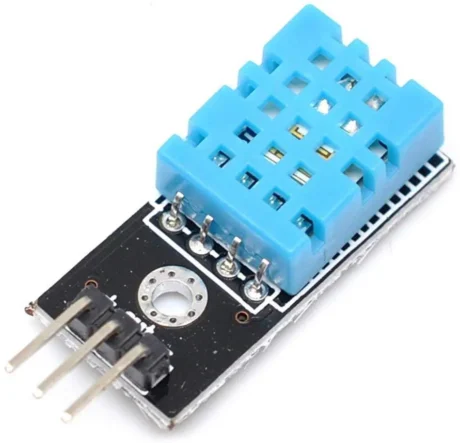
Sensors are crucial for gathering environmental data, such as temperature, light, or proximity, which your Arduino or Raspberry Pi can process. These devices help your projects interact with the world around them, providing the necessary information to make decisions or trigger actions.
2. Motors and Actuators:
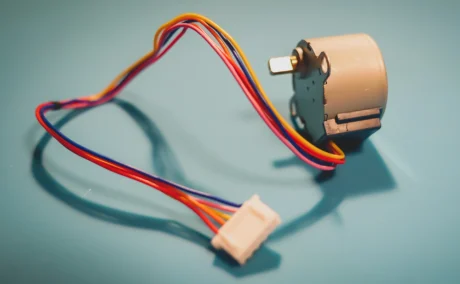
Motors enable movement in projects, essential for robotics or automated systems. Actuators, including motors, LEDs (for light), and buzzers (for sound), convert the output from your boards into physical actions. This category is vital for projects where physical interaction or alerts are required.
3. Wires and Breadboards:
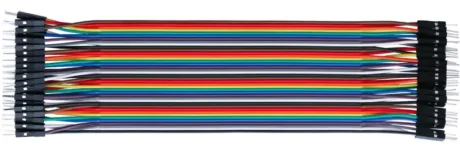
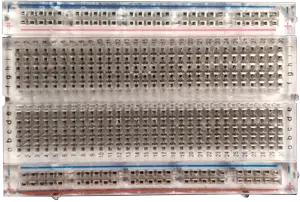
Wires connect your components to the Arduino or Raspberry Pi, while breadboards are used for assembling a prototype without soldering. This setup allows you to experiment and iterate designs easily, making modifications without permanent changes.
4. Power Supplies:
Both Arduino and Raspberry Pi require power to operate. While Arduino boards are often powered through USB connections or batteries, Raspberry Pi typically requires a more robust power source, like a 5V USB power adapter, especially when supporting peripherals like screens or multiple USB devices.
5. Shields and HATs (Hardware Attached on Top):
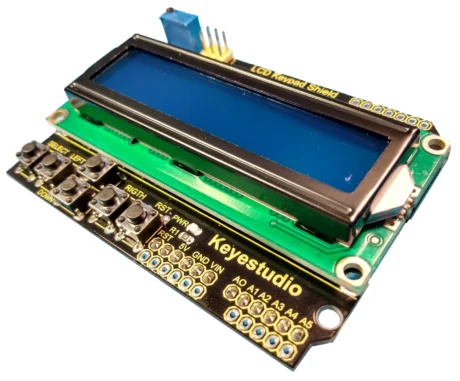
For Arduino, shields add functionality such as connectivity or motor driving capabilities by plugging directly onto the board. Similarly, Raspberry Pi uses HATs, which conform to specific design standards providing similar enhancements. Both allow for expanding the capabilities of your board with minimal wiring.
6. Communication Modules:
To add network capabilities, both platforms can be equipped with WiFi or Ethernet modules. Many Raspberry Pi models include onboard WiFi as a standard feature. In contrast, Arduino has recently upgraded its offerings with the launch of the Arduino UNO R4 WiFi. This new model merges the RA4M1 microprocessor from Renesas with the ESP32-S3 from Espressif, providing built-in WiFi and Bluetooth capabilities. This allows Arduino users to seamlessly integrate network connectivity without needing additional shields. The UNO R4 WiFi also features an onboard 12×8 LED matrix and a Qwiic connector, enhancing its utility and expanding creative possibilities for makers. This development represents a significant step in Arduino’s evolution, bringing it closer to the Raspberry Pi in terms of connectivity and peripheral integration.